Flagsmith for Unity
Flagsmith for Unity connects Unity games to Flagsmith, the open-source feature flag service. A game reads its tuning, switches and experiment variants from Flagsmith at runtime, so you can change them without a new build. It works with Flagsmith Cloud and self-hosted Flagsmith, and everything runs on Unity's main thread, so WebGL builds work too.
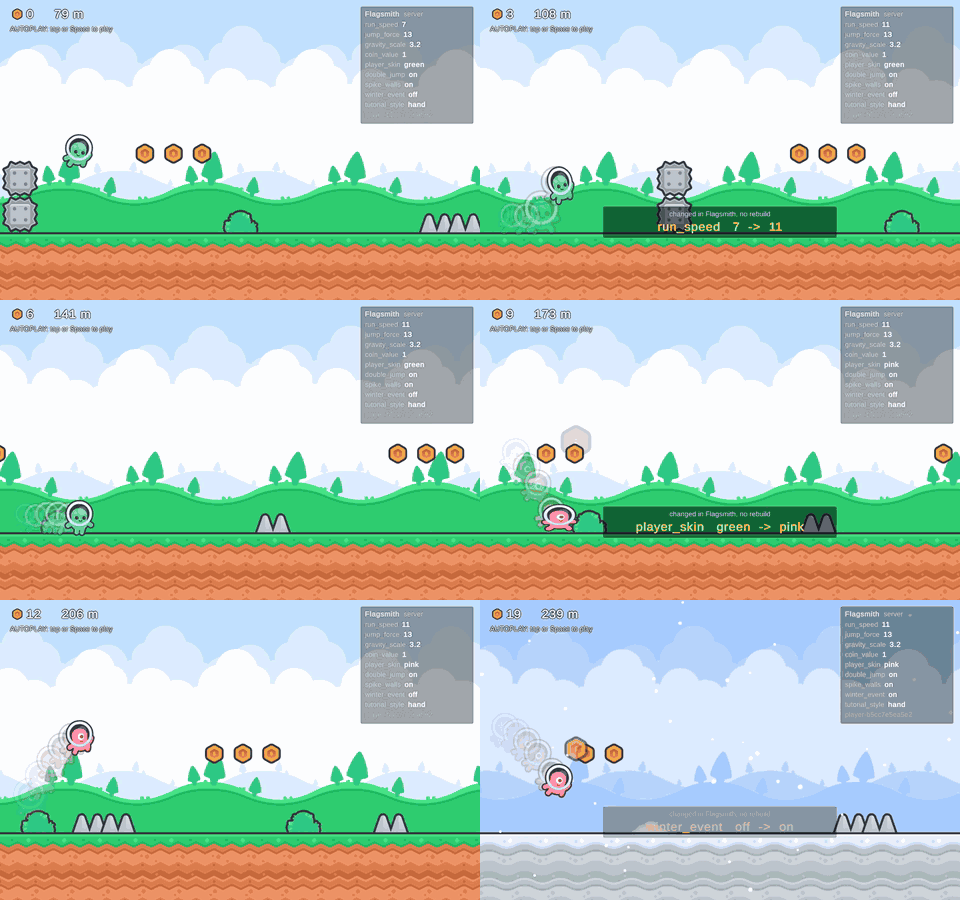
The sample game, Flag Runner, while server/demo.py edits its flags. Nothing is rebuilt or restarted.
Install
Unity 6 (6000.0) or newer. In Window > Package Manager > + > Install package from git URL, paste:
https://github.com/Harindulk/flagsmith-unity.git?path=/com.flagsmith.unity
Or add it to Packages/manifest.json:
"com.flagsmith.unity": "https://github.com/Harindulk/flagsmith-unity.git?path=/com.flagsmith.unity"
Add #v0.1.0 to the end of the URL to stay on a fixed release. Releases are listed on the releases page.
Unity also installs com.unity.nuget.newtonsoft-json, which the package depends on.
Five minutes to your first flag
- In Flagsmith, create a flag called
run_speedwith the value7. - Open your environment's SDK keys page and copy the client-side environment key.
- Add a
FlagsmithBehaviourcomponent to a GameObject in your first scene and paste the key. Leave the API URL as it is for Flagsmith Cloud, or set it tohttp://your-host:8000/api/v1/for self-hosted. - Bind a field to the flag:
using Flagsmith;
using UnityEngine;

public class Player : MonoBehaviour
{
    [SerializeField] FlagsmithBehaviour flagsmith;

    [FlagsmithValue("run_speed")] float runSpeed = 7f;   // 7 until the first fetch, and offline

    void Awake() => flagsmith.Bind(this);
}
- Press Play, change
run_speedin Flagsmith, and the field follows on the next refresh.
Package Manager also has a Quickstart sample: select the package, then Samples > Import.